
Bring every part of your work together.
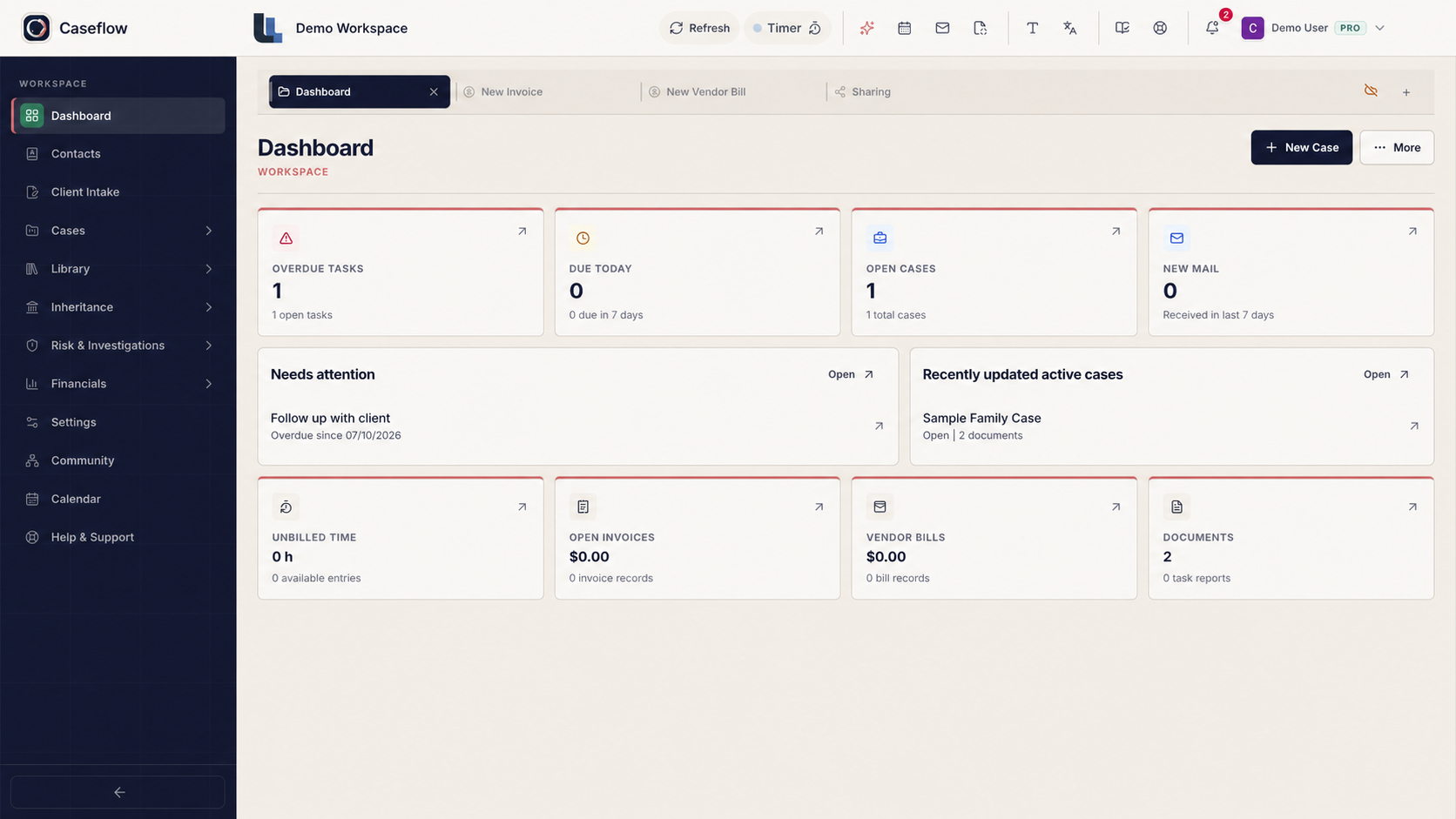
Caseflow is case management software for investigators, lawyers, inheritance researchers, and genealogists. Connect cases, documents, clients, deadlines, and billing in one workspace.
All Caseflow featuresUp to 10 cases
Explore modules
Start with what you need.
Bring your work togetherKeep the day movingDeliver and get paid
Built around your profession.
Investigators
Follow leads, organize evidence, and prepare clear reports.
Inheritance investigators
Trace heirs and connect family relationships with the records behind them.
Genealogists
Build family trees, compare sources, and keep your research organized.
Family researchers
Bring family history, photos, stories, and documents together.
Lawyers
Manage matters, clients, documents, deadlines, and billing.
The tools you need, working together.
Cases and research
Keep facts, leads, evidence, and research notes connected to the right case.
Clients and communication
Keep contacts, emails, shared files, and client updates close to the work.
Documents and AI
Scan, organize, and prepare documents. Use AI to help extract details and summarize records.
Tasks and fieldwork
Plan your next steps, track deadlines, and capture updates while working away from your desk.
Time and billing
Record your time, prepare invoices, and keep track of payments.
Families and estates
Connect relatives, trace family history, and organize inheritance and estate records.
From the first enquiry to the final invoice.
- 01
Bring your work together
Keep your cases, contacts, documents, and correspondence in one place.
- 02
Keep the day moving
Plan tasks, track dates, and keep your team informed, in the office or in the field.
- 03
Deliver and get paid
Prepare reports, share work with clients, record your time, and send invoices.
Spend less time reading. Find what matters.
Use AI to summarize documents and help review case material. Check the original records before adding conclusions to your report.
See what Caseflow doesThe interview mentions a second company address. Check it against the company record.
Sensitive work. Clear control.
Choose what you share and who can access it. Read how Caseflow handles security, privacy, and AI before adding case material.
Start free. Grow when you need to.
Every plan includes the full workspace. Choose the case capacity, storage, and AI allowance that fit your work.
Free
- All Caseflow features
- Up to 10 cases
- 1 GB included storage
- €10 introductory AI credit
Starter
- All Caseflow features
- Up to 50 cases
- 20 GB included storage
- €10 AI allowance each month
Pro
- All Caseflow features
- Up to 500 cases
- 100 GB included storage
- €20 AI allowance each month
Prices are shown in EUR. Taxes, payment provider availability, and local billing requirements may vary by region.
 Caseflow Connect
Build connections beyond your own team.
Create your professional profile, find local expertise, and build relationships with people in other fields and countries through Caseflow Connect.
What is Caseflow?
Caseflow is case management software for investigators, lawyers, inheritance researchers, and genealogists. Connect cases, documents, clients, deadlines, and billing in one workspace.
How do new accounts start?
New accounts start on Free with the complete Caseflow workspace. Upgrade only when you need more cases or storage.
How does Caseflow support inheritance and family matters?
Connect relatives, trace family history, and organize inheritance and estate records.
Does Caseflow use AI?
Use AI to summarize documents and help review case material. Check the original records before adding conclusions to your report.
How does Caseflow approach security and compliance?
Choose what you share and who can access it. Read how Caseflow handles security, privacy, and AI before adding case material.
Can I get help choosing the right workflow?
Yes. Support helps with workflow fit, setup, pricing, security, privacy, and product questions. Signed-in users can also use the in-app support center.
Make room for the work that matters.
Bring your cases, research, people, and daily tasks into one connected workspace.
Start free